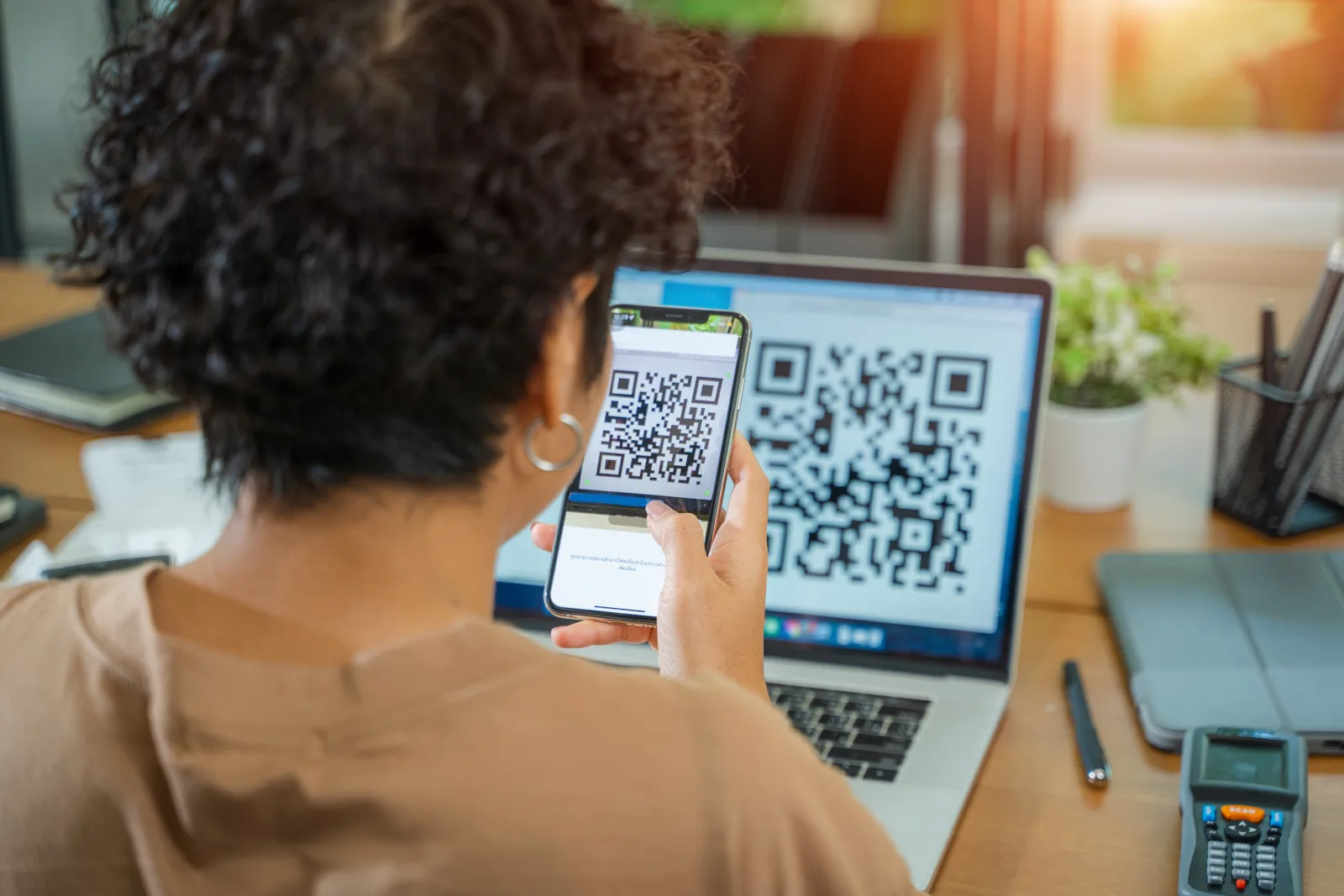
QR codes for business can connect almost any physical touchpoint to a useful digital action. A customer can scan a restaurant table to view a menu, a product package to open instructions, a receipt to leave feedback, a storefront sign to get directions, or an event badge to view a professional profile.
The QR code itself is only the entry point. The real value comes from what happens after the scan: a clear mobile page, an editable destination, a useful offer, a fast customer action, or a measurable campaign journey.
This guide explains how businesses can use QR codes for marketing, customer service, operations, packaging, events, reviews, WiFi, documents, and more. It also covers how to choose the right QR type, when to use a dynamic or static code, how to improve scans, and how to measure whether a campaign actually works.
Quick answer: Businesses use QR codes to connect offline materials to websites, PDFs, menus, reviews, offers, events, apps, business pages, support content, and other digital actions. Use dynamic QR codes for managed destinations that may change or need analytics. Use static QR codes for fixed utility payloads such as WiFi credentials and crypto wallet addresses.
What are QR codes for business?
A business QR code is a scannable bridge between a physical interaction and a digital destination or action. It can be printed on packaging, menus, business cards, receipts, posters, labels, signs, product displays, brochures, event materials, or almost any surface where someone may want more information.
After scanning, the customer might:
- Visit a website or campaign page
- Open a PDF, product guide, or digital brochure
- Browse a restaurant menu
- View business hours, contact details, or directions
- Leave a review or send private feedback
- Claim a coupon or promotion
- Install or open an app
- Watch a product demonstration
- Register for an event
- Connect to guest WiFi
- Open a crypto wallet address
The most effective business QR codes do not simply open a generic homepage. They lead to the most relevant next action for the person scanning in that particular moment.
Simple rule: A QR code should remove a step from the customer journey, not add another confusing one.
Why businesses use QR codes
QR codes are useful because they reduce the distance between customer interest and customer action. Instead of asking someone to remember a website, search for a company, type a long URL, or find the correct page later, the business can offer the next step immediately.
Reduce customer effort
One scan can replace typing a URL, searching for a business, finding a menu, or manually entering contact information.
Connect print to digital
Flyers, packaging, posters, receipts, and signs can become interactive instead of ending at the printed page.
Update campaigns after launch
Dynamic QR destinations can be changed without replacing the printed QR code, helping materials stay useful longer.
Measure offline engagement
Trackable QR codes can help compare scans by campaign, placement, time, device, or approximate location.
Create clearer customer journeys
A focused scan page can present the right information and CTA instead of dropping visitors on a broad homepage.
Support multiple business goals
QR codes can support acquisition, support, reviews, retention, product education, operations, and post-purchase engagement.
Static vs dynamic business QR codes
Before choosing a QR type, decide whether the code should be static or dynamic. This affects editability, analytics, destination control, and what happens if information changes after printing.
| Feature | Dynamic QR code | Static QR code |
|---|---|---|
| Best for | Websites, PDFs, menus, events, reviews, offers, apps, business pages, campaigns, and hosted experiences | Fixed WiFi credentials and crypto wallet payloads |
| Edit after printing | Yes, the managed destination can be updated | No, the payload is stored directly in the QR code |
| Analytics | Can support scan tracking and campaign reporting | Does not use a managed tracking redirect |
| Branded landing experience | Can open a designed mobile page or managed destination | Usually performs the fixed utility action directly |
| If information changes | Update the destination and keep the same printed code | Generate and distribute a new QR code |
CreateQR product note: Use dynamic QR types for managed destinations and campaigns. Static QR codes in the current builder are reserved for WiFi access and crypto wallet payloads.
For a detailed comparison, read Static vs Dynamic QR Codes: Which One Should Your Business Use?.
Business QR code decision table
Start with the business goal, then choose the QR experience that makes the next action easiest.
| Business goal | Recommended QR type | Mode | Example placement |
|---|---|---|---|
| Open one website or campaign page | Website QR Code | Dynamic | Poster, flyer, direct mail, storefront |
| Offer several links or customer actions | Multiple Links QR Code | Dynamic | Business card, event booth, packaging insert |
| Share a brochure, manual, or report | PDF QR Code | Dynamic | Packaging, equipment, brochure, presentation |
| Publish a restaurant or hospitality menu | Menu QR Code | Dynamic | Table, counter, hotel room, storefront |
| Collect reviews or detailed customer comments | Feedback QR Code | Dynamic | Receipt, table, counter, appointment card |
| Collect a fast satisfaction score | Rating QR Code | Dynamic | Service desk, room, checkout, facility |
| Present business information and contact actions | Business Page QR Code | Dynamic | Window, flyer, counter, local advertising |
| Promote a discount or campaign offer | Coupon QR Code | Dynamic | Shelf display, receipt, package insert, poster |
| Share event details or registration | Event QR Code | Dynamic | Invitation, badge, poster, booth, agenda |
| Show a professional profile | Profile Card QR Code | Dynamic | Business card, badge, proposal, CV |
| Guide customers to an app | App QR Code | Dynamic | Packaging, onboarding, poster, retail display |
| Let guests join a wireless network | WiFi QR Code | Static | Hotel room, cafe, office, waiting area |
| Share a fixed wallet address | Crypto Wallet QR Code | Static | Payment display, invoice, donation card |
For a more detailed type-by-type comparison, see Which QR Code Type Should You Use? A Decision Guide for Every Goal.
QR codes for marketing and sales
QR codes can turn static marketing materials into measurable digital entry points. The strongest campaigns connect each physical placement to one clear offer or action.
Print advertising
Send readers from flyers, brochures, magazines, postcards, and posters to a focused landing page instead of a broad homepage.
Promotions and coupons
Connect shelf displays, receipts, packaging, and direct mail to offers that can be updated as campaigns change.
Lead generation
Open a quote request, booking page, contact form, event registration, or consultation page from printed materials.
Product demonstrations
Show product videos, before-and-after examples, setup instructions, or interactive product content from displays and packaging.
App promotion
Help customers move from print, packaging, signage, or onboarding materials to an app experience without searching manually.
Sales follow-up
Add QR codes to proposals, presentations, leave-behinds, and business cards so prospects can revisit the most relevant resources.
Marketing tip: Create separate QR codes for different placements when you want to compare posters, flyers, stores, cities, events, or campaign variants.
QR codes for customer experience
QR codes can help customers find information or complete an action at the moment they need it. This is especially useful when staff time is limited or when the information changes regularly.
| Customer need | QR experience | Example |
|---|---|---|
| Find information quickly | Business Page, Website, PDF, or Multiple Links | Hours, policies, prices, services, or product details |
| Get help after purchase | PDF, Video, Website, or Multiple Links | Manuals, tutorials, warranty, troubleshooting, or returns |
| Share an opinion | Feedback or Rating QR Code | Public review, private comment, or satisfaction score |
| Contact the business | Business Page, Email, SMS, Phone, or Profile Card | Call, send an enquiry, request support, or book an appointment |
| Access guest services | Menu, WiFi, Location, Event, or Business Page | Room service, guest WiFi, directions, venue map, or schedule |
The destination should be designed for mobile use. A QR code saves little time if the page after the scan is slow, crowded, difficult to navigate, or asks the visitor to start searching again.
QR codes for operations and internal use
QR codes are not only customer-facing. Businesses can also use them to make internal information, workflows, training, and maintenance resources easier to access.
Training and onboarding
Link employee materials, videos, checklists, policies, safety instructions, and role-specific resources.
Equipment instructions
Place QR codes near equipment so employees can open manuals, operating instructions, troubleshooting steps, or maintenance forms.
Inventory and asset records
Connect physical assets to internal pages, maintenance histories, inspection forms, or identification records.
Facility information
Share room instructions, emergency contacts, maintenance requests, cleaning checklists, or building guides.
Internal feedback
Collect quick reports, suggestions, incident details, equipment issues, or staff satisfaction input.
Guest and employee WiFi
Use a static WiFi QR code to reduce credential-entry errors and make approved network access easier.
For large-scale creation, see How to Bulk Create QR Codes for Inventory, Campaigns, and Business Cards.
QR code use cases by industry
The best combination of QR types depends on the industry, physical environment, customer intent, and how often content changes.
Restaurants and cafes
Menu, WiFi, Feedback, Rating, Coupon, Social Media, and Business Page QR codes.
Place them on tables, menus, receipts, windows, takeaway packaging, and loyalty materials.
Hotels and hospitality
WiFi, Menu, Business Page, Location, Event, Feedback, and Multiple Links QR codes.
Use them in rooms, reception areas, elevators, restaurants, conference spaces, and guest guides.
Retail and ecommerce
Website, Coupon, Video, App, Feedback, PDF, and Product Information QR experiences.
Place them on packaging, shelves, receipts, inserts, displays, and returns materials.
Real estate
Website, Images, Video, Location, Profile Card, Business Page, and Multiple Links QR codes.
Use them on property signs, brochures, open-house cards, listings, and agent business cards.
Events and conferences
Event, Location, Multiple Links, Profile Card, App, Feedback, and Rating QR codes.
Add them to invitations, tickets, badges, booths, signage, schedules, and post-event surveys.
Clinics and service businesses
Business Page, Location, Website, Feedback, Rating, PDF, and Appointment QR experiences.
Use them for directions, preparation instructions, aftercare, booking, service information, and feedback.
Schools and education
PDF, Video, Event, WiFi, Website, Multiple Links, Feedback, and MP3 QR codes.
Use them for lessons, campus information, learning resources, audio content, events, and student feedback.
Product brands and packaging
Website, PDF, Video, Feedback, Coupon, App, and connected product-information QR experiences.
Use them for setup, ingredients, support, warranty, reorders, sustainability, recycling, and brand storytelling.
For standards-based product identity, read How to Use GS1 Digital Link on Product Packaging.
Ready to turn a business goal into a QR experience?
Choose what should happen after the scan, select the matching QR type, add your content, and preview the complete mobile experience before downloading.
How to plan a business QR code campaign
A successful QR campaign should be planned around the customer action and business result, not around the QR image alone.
1. Define one primary goal
Decide whether the campaign should generate visits, leads, reviews, bookings, downloads, app installs, purchases, or support actions.
2. Choose the right QR type
Match the destination and content format to the visitor’s next action instead of defaulting to a generic website link.
3. Build the destination
Make the post-scan page mobile-friendly, fast, focused, and consistent with the message printed next to the QR code.
4. Write a clear CTA
Tell people what they will receive or accomplish: “Scan to view menu,” “Scan to get 10% off,” or “Scan for setup instructions.”
5. Design for scan reliability
Use strong contrast, enough quiet space, an appropriate physical size, and moderate branding that does not damage readability.
6. Create separate placement codes
Use different dynamic QR codes for posters, flyers, stores, tables, packaging, or cities when comparison data matters.
7. Test the real output
Test on the final material, at the final size, with multiple phones, from the real scan distance, and under realistic lighting.
8. Measure and improve
Compare scans with the action after the scan. A high scan count means little if the landing page does not convert.
Design, placement, and testing
A well-planned destination still needs a QR code that people can notice, understand, and scan reliably.
Design principles
- Use a dark foreground on a light background
- Protect the blank quiet zone around the code
- Keep logos centered and reasonably sized
- Avoid busy images or patterns behind the QR code
- Export a sharp file suitable for the final channel
- Add CTA text explaining the benefit of scanning
- Make sure the code still looks like a QR code
Placement guidance
| Placement | What to consider | Common problem |
|---|---|---|
| Business card | Small size, simple design, useful professional destination | QR code is too small or links to an unfinished profile |
| Flyer or brochure | Arm’s-length scanning, clear CTA, enough space around the code | The QR is crowded by other design elements |
| Restaurant table | Seated angle, low light, reflections, frequent handling | Lamination glare or poor positioning |
| Product packaging | Curvature, texture, gloss, package size, production tolerances | Distortion or reflections make scanning unreliable |
| Poster or window | Viewing distance, height, lighting, accessibility, movement | The code is too small for the real scan distance |
| Vehicle or moving display | Safe scanning context, large size, minimal content | The placement encourages unsafe or unrealistic scanning |
Before a large print run, follow How to Test a QR Code Before You Print 1,000 Copies.
Related technical guides: QR Code Size Guide and QR Code Design Best Practices.
QR code analytics and ROI
Dynamic QR analytics can show whether people scan, but scan volume alone is not the final business result. The real question is what visitors do after scanning.
| Metric | What it shows | How to use it |
|---|---|---|
| Total scans | Overall scan activity | Compare campaign volume and recurring use |
| Unique scans | Estimated reach across scanners or devices | Separate broad reach from repeat scans |
| Time trends | When scans occur | Understand daily patterns, events, and campaign peaks |
| Device data | Phone, operating system, or browser patterns | Prioritize mobile compatibility and testing |
| Approximate location | Country, region, or city-level activity | Compare geographic campaign performance carefully |
| Conversion | The desired action after the scan | Measure bookings, reviews, leads, downloads, sales, or claims |
Useful campaign calculations:
Conversion rate = conversions ÷ scans × 100
Cost per scan = campaign cost ÷ scans
Cost per conversion = campaign cost ÷ conversions
Compare placements using separate QR codes. If one code is used on every flyer, poster, package, and store display, it becomes difficult to understand which touchpoint produced the result.
For more detail, read QR Code Analytics Guide: Unique Scans, Devices, Countries, and Cities Explained.
Privacy, security, and trust
A business QR campaign should feel safe and predictable. Customers should understand who created the QR code, what it opens, and why they are being asked to scan.
Build trust around the QR code
- Add specific CTA text near the code
- Use recognizable branding and a destination that matches it
- Avoid surprising visitors with unrelated pages
- Do not request unnecessary personal information immediately after scanning
- Inspect public QR placements for tampering or sticker overlays
- Keep destinations active, maintained, and mobile-friendly
- Provide another way to access important information when appropriate
Use analytics responsibly
Campaign-level analytics are usually enough to improve business results. Collect only the data needed for a clear purpose, use approximate rather than precise location when possible, and be transparent when the post-scan page requests personal information.
Important: Privacy and consent requirements depend on the data collected, the technologies used, the audience, and the region. Get appropriate legal advice when QR journeys collect sensitive information, advertising identifiers, precise location, children’s data, or regulated information.
For consumer safety guidance, see Are QR Codes Safe? How to Spot Fake and Malicious QR Codes.
How to combine multiple QR types
Different QR types can support different stages of one customer journey. The key is to avoid placing several competing codes in the same visual area without a clear reason.
| Journey stage | QR type | Example action |
|---|---|---|
| Discovery | Website, Video, Images, or Business Page | Learn about the product, service, property, or business |
| Decision | PDF, Menu, Event, Coupon, or Multiple Links | Review details, compare options, or claim an offer |
| Conversion | Website, App, Phone, Email, SMS, or Business Page | Book, call, enquire, register, install, or purchase |
| On-site experience | Menu, WiFi, Location, Event, or Multiple Links | Access services, directions, schedules, or guest information |
| Post-purchase | PDF, Video, Feedback, Rating, Coupon, or App | Get support, leave a review, reorder, or stay connected |
Use one QR code with a Multiple Links or Business Page destination when the actions naturally belong together. Use separate QR codes when the goals, placements, or analytics need to remain distinct.
Business QR code launch checklist
Use this checklist before printing, publishing, or distributing a QR code campaign.
Strategy
- One primary business goal is defined
- The QR type matches the desired action
- Dynamic or static behavior is correct
- Placements are separated when analytics matter
Destination
- The destination is relevant to the printed message
- The page works well on mobile
- The page loads quickly
- The CTA after the scan is obvious
QR design
- Contrast is strong
- The quiet zone is protected
- The logo does not dominate the code
- The export is sharp and production-ready
Print and placement
- The physical size matches scan distance
- The surface does not create excessive glare
- The placement is reachable and safe to scan
- CTA text explains what the scan provides
Testing
- The final printed proof was tested
- Both iPhone and Android were tested
- The real lighting and angle were tested
- Every link and button works
Measurement
- The conversion goal is defined
- Campaign and placement names are clear
- Analytics and post-scan events are configured
- The campaign has a review date
Common mistakes to avoid
- Sending every QR code to the company homepage
- Choosing a QR type before defining the customer action
- Using a static code for content that may need future changes
- Assuming one QR code is enough for every campaign placement
- Showing a QR code without explaining why someone should scan
- Making the QR code too small for the expected scan distance
- Using low-contrast colors or a busy background
- Adding a logo that covers too much of the QR pattern
- Testing only on a computer screen instead of the final print
- Ignoring the quality of the mobile page after the scan
- Measuring scans without measuring conversions
- Leaving expired offers, deleted PDFs, or outdated pages live
- Collecting more personal information than the campaign needs
- Publishing WiFi or crypto wallet QR codes without checking every encoded detail
The most common business mistake is treating the QR code as the campaign. The code is only one part of the experience: the message, placement, destination, CTA, and follow-up determine the result.
FAQ
How can a business use QR codes?
Businesses can use QR codes for websites, menus, PDFs, reviews, offers, events, apps, business pages, product instructions, customer support, guest WiFi, professional profiles, and internal operations.
What is the best QR code type for a business?
Use Website for one destination, Multiple Links for several actions, Business Page for complete local-business information, Feedback for customer input, and dynamic specialized types for menus, PDFs, events, apps, or offers.
Should a business use static or dynamic QR codes?
Use dynamic QR codes for managed destinations that may change or need analytics. Use static QR codes for fixed utility payloads such as WiFi credentials and crypto wallet addresses.
Can a business change a QR code after printing?
The printed QR image cannot change, but a dynamic QR destination can usually be updated while the printed code remains the same. Static WiFi or crypto wallet QR codes must be recreated when their encoded information changes.
Where should a business place QR codes?
Useful placements include packaging, menus, receipts, storefronts, business cards, posters, flyers, equipment, event materials, product displays, brochures, direct mail, and customer-service areas.
How do QR codes help marketing?
QR codes connect offline materials to measurable digital actions. Separate dynamic QR codes can help compare placements, campaigns, stores, events, or print formats.
How do I get more people to scan a business QR code?
Use a clear benefit-led CTA, place the QR where the action is relevant, make it large enough, use strong contrast, and ensure the destination delivers exactly what the printed message promises.
Can businesses track QR code scans?
Dynamic QR codes can support analytics such as total scans, estimated unique scans, time, device, approximate location, and campaign placement. Business value should also be measured through post-scan conversions.
Are business QR codes safe?
They can be safe when they come from a trusted source and open an expected destination. Businesses should use clear branding, inspect public placements for tampering, and avoid surprising visitors after the scan.
How many QR codes should a business create?
Create separate QR codes when placements or goals need separate analytics. Use one Multiple Links or Business Page QR Code when several related actions belong together in the same scan experience.
Related guides
- Which QR Code Type Should You Use? A Decision Guide for Every Goal
- Static vs Dynamic QR Codes: Which One Should Your Business Use?
- The Best CTA Text for QR Codes: 50 Examples That Increase Scans
- QR Code Analytics Guide: Unique Scans, Devices, Countries, and Cities Explained
- How to Test a QR Code Before You Print 1,000 Copies
Ready to create a QR code for your business?
Choose the action you want after the scan, select the right QR type, customize the design, and preview the complete customer experience before downloading.