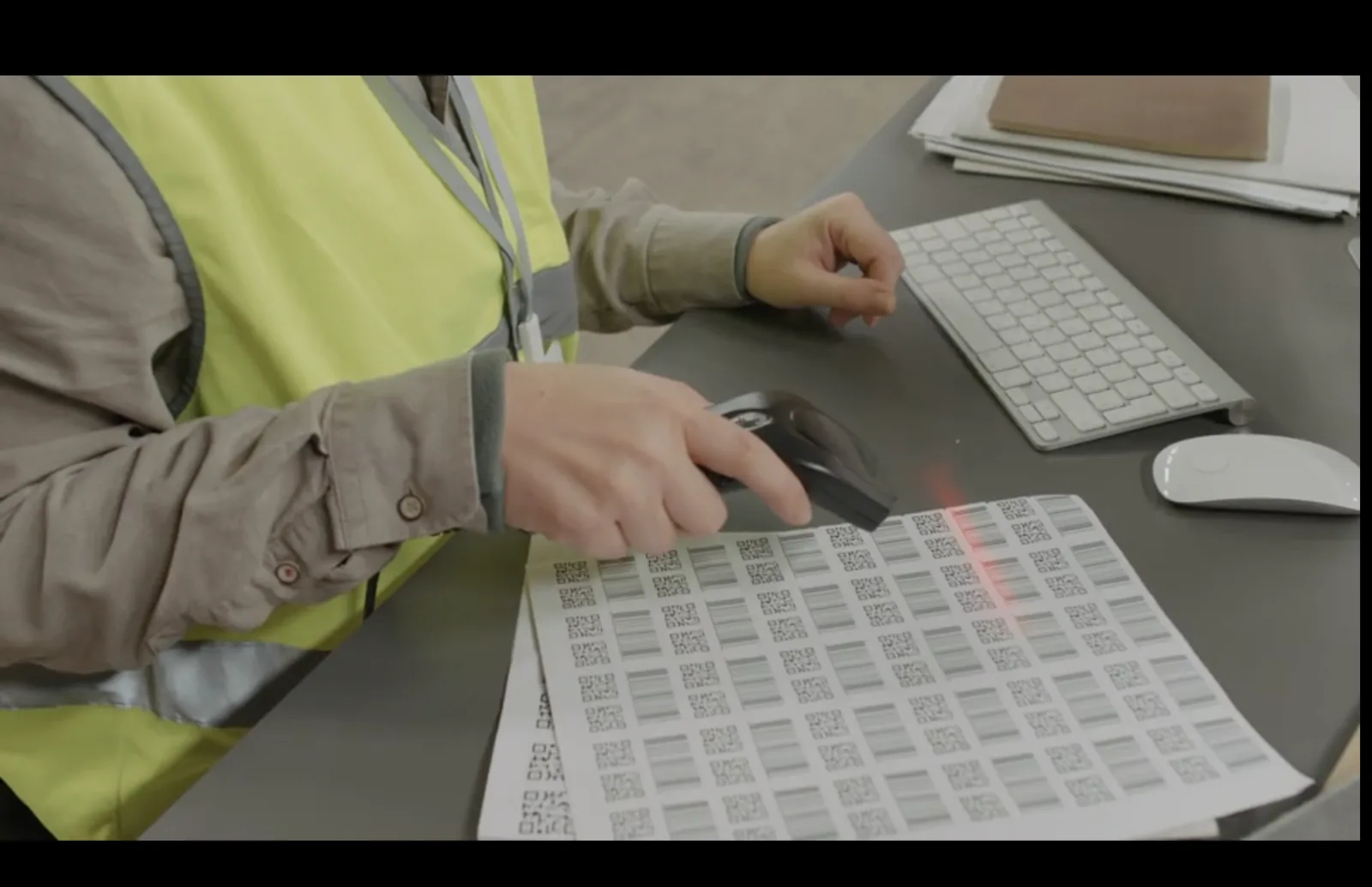
Creating one QR code is simple. Creating dozens, hundreds, or thousands of QR codes requires a better workflow. If you need QR codes for inventory labels, campaign placements, business cards, event badges, product packaging, table numbers, store locations, or customer records, doing everything manually can quickly become slow and error-prone.
A bulk QR code workflow helps you create multiple QR codes from structured data, usually a spreadsheet, CSV file, database export, or API integration. The goal is not just to generate many QR images. The real goal is to keep every QR code organized, correctly linked, easy to test, and easy to manage later.
Quick answer: To bulk create QR codes, prepare a spreadsheet with one row per QR code, include the destination and useful metadata, choose static or dynamic QR codes, generate the codes from that data, export the right file formats, and test a sample before printing or sending the full batch. Use dynamic QR codes when destinations may change later or when analytics matter.
What does bulk QR code creation mean?
Bulk QR code creation means generating many QR codes from a structured list instead of creating each code manually. Each row in the list usually becomes one QR code. That row might include a destination URL, product ID, employee name, campaign placement, store location, table number, ticket ID, or asset record.
A bulk workflow can be as simple as importing a CSV file or as advanced as generating QR codes through an API from your own system. The right approach depends on how many codes you need, how often they change, and whether they need to be printed, tracked, updated, or linked to internal records.
Simple way to think about it: one QR code is a design task. Hundreds of QR codes are a data-management task.
When should you bulk create QR codes?
Bulk QR creation is useful when each code needs to be unique, organized, or tied to a specific record. If every QR code points to the same page, you may only need one QR code. If each item, person, location, or campaign placement needs a different destination or tracking record, bulk creation becomes much more valuable.
| Use one QR code when: | Bulk create QR codes when: |
|---|---|
| Every scan should open the same destination | Each item, person, table, location, or campaign needs a unique code |
| You only need a simple poster, menu, or landing page QR | You need QR codes for hundreds of labels, cards, products, or records |
| You do not need placement-level tracking | You want to compare scans by location, campaign, table, or product |
| Manual creation is still fast enough | Manual creation would be slow, repetitive, or risky |
Static vs dynamic for bulk QR codes
Static QR codes can work for permanent information, but dynamic QR codes are often safer for bulk workflows. When you generate many QR codes, mistakes and future changes become more expensive. A dynamic setup gives you more control after the codes are printed or distributed.
| QR type | Best for bulk use when | Main advantage | Main risk |
|---|---|---|---|
| Static QR codes | The encoded content is permanent and will not need analytics | Simple and self-contained | Hard to fix if the destination changes after printing |
| Dynamic QR codes | Destinations may change, analytics matter, or codes will be printed at scale | Editable, trackable, easier to manage long term | Requires a managed redirect or QR platform |
Rule of thumb: If reprinting hundreds of QR codes would be painful, use dynamic QR codes unless you are absolutely sure the destination is permanent.
For more detail, read Static vs Dynamic QR Codes and Can You Change a QR Code After Printing?.
What to include in your spreadsheet or CSV
A clean spreadsheet is the foundation of a successful bulk QR project. Each row should represent one QR code, and each column should describe something useful about that QR code.
| Column | Example | Why it matters |
|---|---|---|
| qr_name | Store 12 Window Poster | Makes the QR code easy to identify later |
| destination_url | https://example.com/store-12 | Defines where the QR code sends users |
| qr_type | dynamic | Controls whether the QR can be updated later |
| campaign | Spring Launch | Helps organize and compare QR performance |
| placement | Flyer, table, package, badge | Useful for analytics and troubleshooting |
| external_id | INV-000481 | Connects the QR code to your own system record |
| file_name | store-12-window-poster.svg | Keeps exports organized and easier to hand off |
qr_name,destination_url,qr_type,campaign,placement,external_id,file_name
Store 12 Window Poster,https://example.com/store-12,dynamic,Spring Launch,Window,STORE-12,store-12-window.svg
Store 12 Counter Card,https://example.com/store-12-offer,dynamic,Spring Launch,Counter,STORE-12-COUNTER,store-12-counter.svg
Asset 481,https://example.com/assets/481,dynamic,Inventory,Label,INV-000481,asset-481.svg
Best practice: Do not rely only on the QR image file. Store the QR name, destination, campaign, placement, and external ID so you can manage the batch later.
How to bulk create QR codes
The exact workflow depends on the tool or system you use, but the planning steps are the same.
1. Define the batch goal
Decide what the QR codes are for: inventory, campaign tracking, employee cards, event badges, packaging, locations, or something else.
2. Build your source spreadsheet
Create one row per QR code and include the destination, name, campaign, placement, external ID, and any export naming information.
3. Choose static or dynamic
For printed or long-running batches, dynamic QR codes are usually safer because you can update destinations later.
4. Apply a design template
Use consistent colors, logo, frame, and CTA style across the batch, but keep scanability more important than decoration.
5. Generate a small test batch first
Before creating or printing hundreds of codes, generate 5 to 10 examples and test the full workflow.
6. Validate destinations
Check that every destination URL is complete, mobile-friendly, and opens the correct page.
7. Generate the full batch
Create the full set only after the data, design, naming rules, and sample tests are approved.
8. Export and archive everything
Save the QR images, source spreadsheet, QR IDs, destinations, and approved print proof in one organized place.
Most important step: test a small batch before generating or printing the full batch.
Need to create QR codes for a campaign, inventory system, or business card workflow?
Bulk QR code use cases
Bulk QR codes are useful anywhere each physical or digital item needs its own scan destination or tracking record.
Inventory and assets
Create QR labels for equipment, tools, rooms, warehouses, storage bins, and internal asset records.
Campaign placements
Generate separate QR codes for each poster, flyer, table tent, store, city, or channel so performance can be compared.
Business cards
Create unique QR codes for employees, sales reps, students, speakers, or event attendees with profile or contact pages.
Product packaging
Generate product-specific QR codes for manuals, setup videos, authenticity checks, support pages, or warranty registration.
Events and badges
Use bulk QR generation for attendee badges, check-in flows, session links, exhibitor pages, or personalized ticket records.
Restaurants and locations
Create table-specific, room-specific, or branch-specific QR codes for menus, feedback, Wi‑Fi, reviews, or service requests.
Testing and quality control
Bulk QR code projects need stronger quality control because one spreadsheet error can create hundreds of bad QR codes. Test the data, the QR image, the destination, and the printed result.
| Check | What to verify | Why it matters |
|---|---|---|
| Data validation | Every row has a valid destination and required fields | Prevents blank, broken, or duplicate QR codes |
| Sample scan test | Scan a representative sample on multiple phones | Catches design and destination problems early |
| Print proof | Print a small proof at final size and material | Screen tests do not reveal all print issues |
| Random audit | Check random rows across the batch | Confirms the batch did not break after the first few examples |
| Destination review | Confirm each destination is mobile-friendly and correct | A QR that scans still fails if the page is wrong |
For print-heavy projects, read How to Test a QR Code Before You Print 1,000 Copies before approving the full batch.
Best practices for managing many QR codes
The more QR codes you create, the more important naming, metadata, and folder structure become. A messy batch can become impossible to troubleshoot later.
- Use consistent naming rules before you generate the batch
- Add campaign, placement, location, or external ID metadata
- Use dynamic QR codes for printed or long-running assets
- Create separate QR codes for separate placements when analytics matter
- Store the source CSV or spreadsheet with the exported files
- Keep QR IDs and destination URLs connected to your internal records
- Test a sample before generating the whole batch
- Archive the approved batch so old versions do not get reused by mistake
- Review active QR codes periodically if they stay in circulation for a long time
Best practice: Treat a bulk QR project like a small database project. Good organization matters as much as good QR design.
If you want to automate large batches from your own system, see How to Generate QR Codes With an API.
Common mistakes to avoid
- Creating hundreds of static QR codes for destinations that may change later
- Using messy spreadsheet data with missing or duplicate destinations
- Failing to store QR IDs, names, and external records together
- Using one QR code everywhere when placement-level analytics matter
- Generating the full batch before testing a small sample
- Exporting low-quality images for print
- Not using consistent file names
- Forgetting to test printed QR codes at real size
- Sending users to slow, broken, or non-mobile-friendly destinations
The biggest bulk QR mistake is thinking only about generation speed. Fast generation is useful, but clean data, reliable scans, and long-term management are what make the batch successful.
FAQ
What does it mean to bulk create QR codes?
It means generating many QR codes from structured data, such as a spreadsheet, CSV file, database export, or API workflow.
Can I create different QR codes for every row in a spreadsheet?
Yes. In a typical bulk workflow, each row becomes one QR code with its own destination, name, metadata, or export file.
Should bulk QR codes be static or dynamic?
Dynamic is usually better for printed, trackable, or long-running batches because destinations can be updated later. Static can work when the content is permanent and does not need analytics.
What file format should I export for bulk QR codes?
SVG is a strong choice when designs may be resized. PNG works well for fixed digital use. PDF or EPS may be useful for print or design handoff.
How do I avoid mixing up QR codes in a large batch?
Use clear naming rules, include external IDs, store the source spreadsheet, and keep each exported file connected to its row and destination.
Can I use bulk QR codes for business cards?
Yes. Each person can have a unique QR code that opens a contact page, vCard, LinkedIn profile, portfolio, or employee profile.
What should I test before printing a bulk QR batch?
Test a small sample on multiple phones, at final print size, on the real material, and verify that each sampled QR opens the correct destination.
Ready to create QR codes for your next batch?
Create QR codes for campaigns, inventory, business cards, events, packaging, and more, then organize and test them before they reach customers.